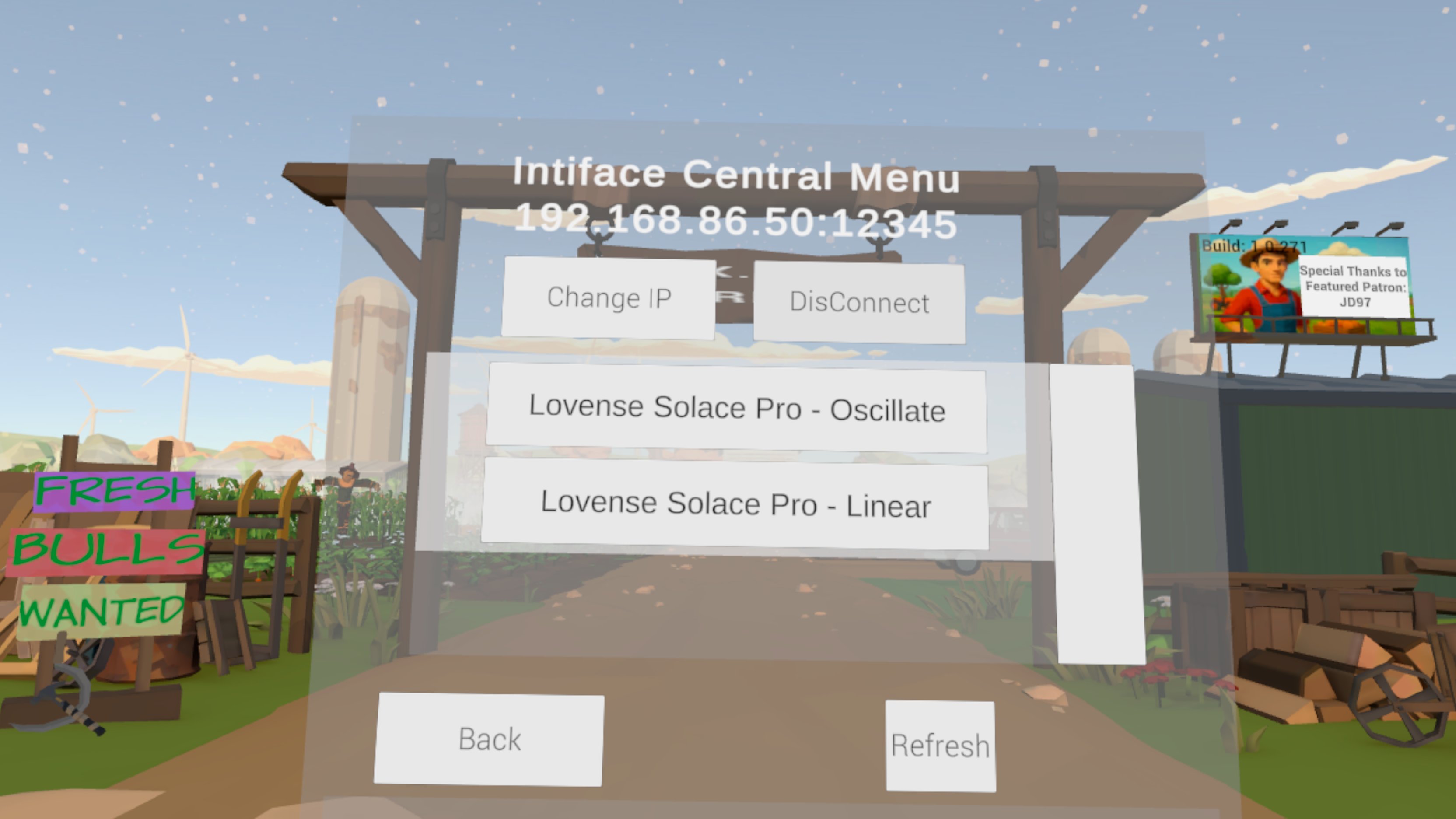
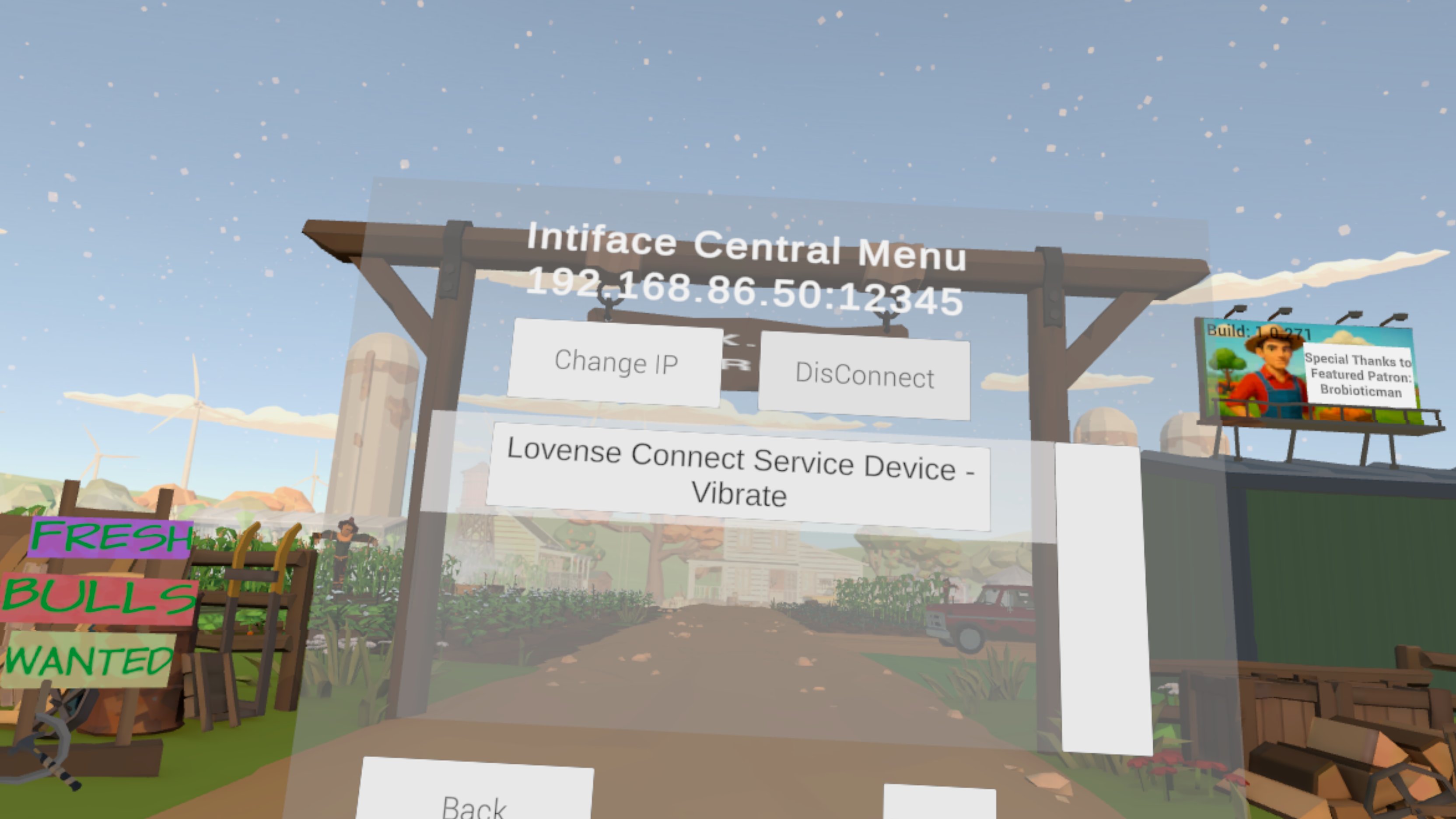
So, how badly did I screw this up?

Note that I’m asking this the day after releasing the public beta of Fresh Bulls Wanted. fml. lol.

So I originally designed FBW for The Handy, I’m basically making a simple edger wrapped by a VR experience. I’m keeping it simple by using HAMP. My main variables I’m controlling for are the stroke start, stroke end, and stroke speed. This should keep things easy for a Reinforcement Learning Algorithm I want to implement. Piece of cake. I released a teaser and folks over on eroscript suggest I support Intiface Central. Seems easy enough except that I keep calling it Central Interface for 6 months, but I think I get sorted out. I feel confident saying I’m supporting strokers and vibrators as I’ve gotten it to work in IC with The Handy and an emulated Lovense Hush. I’m now finding out I didn’t, as someone attempted to use the Lovense Solace Pro and it’s not working for them. I suspect they’re being routed to the Vibe config menu rather than my stroker config menu (see below.)

//This is Unity/C# btw
public DeviceWrapper(ButtplugClientDevice device)
{
Index = device.Index;
Device = device ?? throw new ArgumentNullException(nameof(device));
IsEnabled = true;
SupportedCommands = new List();


var attributes = device.MessageAttributes;
if (attributes == null)
{
    throw new InvalidOperationException("Device MessageAttributes cannot be null.");
}

// Check for Vibrate support
if (attributes.ScalarCmd != null && attributes.ScalarCmd.Length > 0)
{
    SupportedCommands.Add("Vibrate");
    Debug.Log($"[DeviceWrapper: Vibrate command found for {Device.Name}]");
}

// Check for Linear motion support
if (attributes.LinearCmd != null && attributes.LinearCmd.Length > 0)
{
    SupportedCommands.Add("Linear");
    Debug.Log($"[DeviceWrapper: Linear command found for {Device.Name}]");
}

// Check for Rotation support
if (attributes.RotateCmd != null && attributes.RotateCmd.Length > 0)
{
    SupportedCommands.Add("Rotate");
    Debug.Log($"[DeviceWrapper: Rotate command found for {Device.Name}]");
}

// Check for Stop command
if (attributes.StopDeviceCmd != null)
{
    SupportedCommands.Add("Stop");
    Debug.Log($"[DeviceWrapper: Stop command found for {Device.Name}]");
}


}

It’s been almost a year since I implemented this code so I don’t remember where I got the idea that scalarcmd = vibrate, but I’m now realizing that’s not always the case. Can someone point me in the direction of a better way to do this? Originally I was just trying to sort toys into

    if (myDevice.SupportsCommand("Linear"))
    {
        filename += "_Linear";
        devicefunction = "Linear";
    }
    else if (myDevice.SupportsCommand("Vibrate"))
    {
        filename += "_Vibrate";
        devicefunction = "Vibrate";
    }

“It’s a linear Stroker”
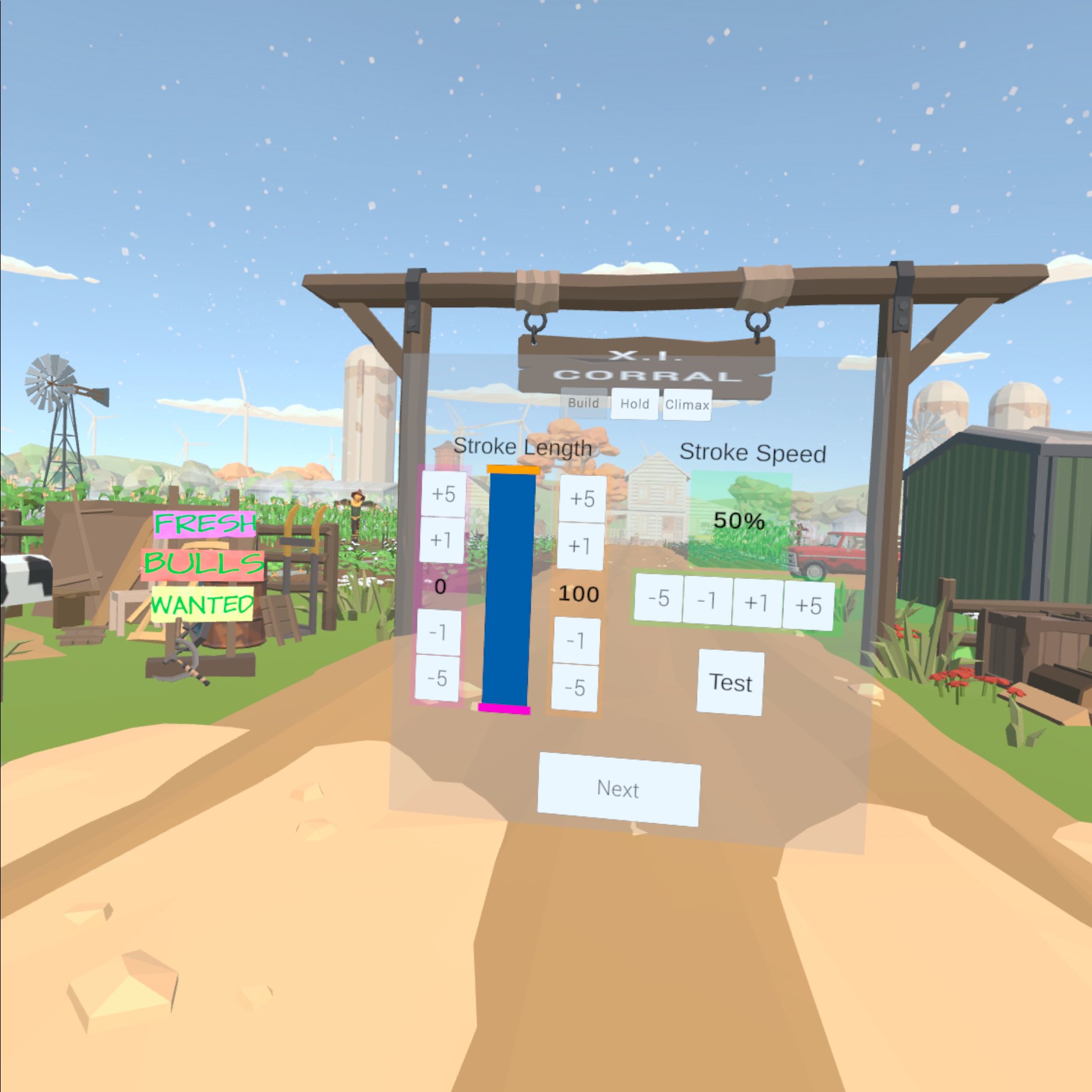
or It’s a Vibrator"
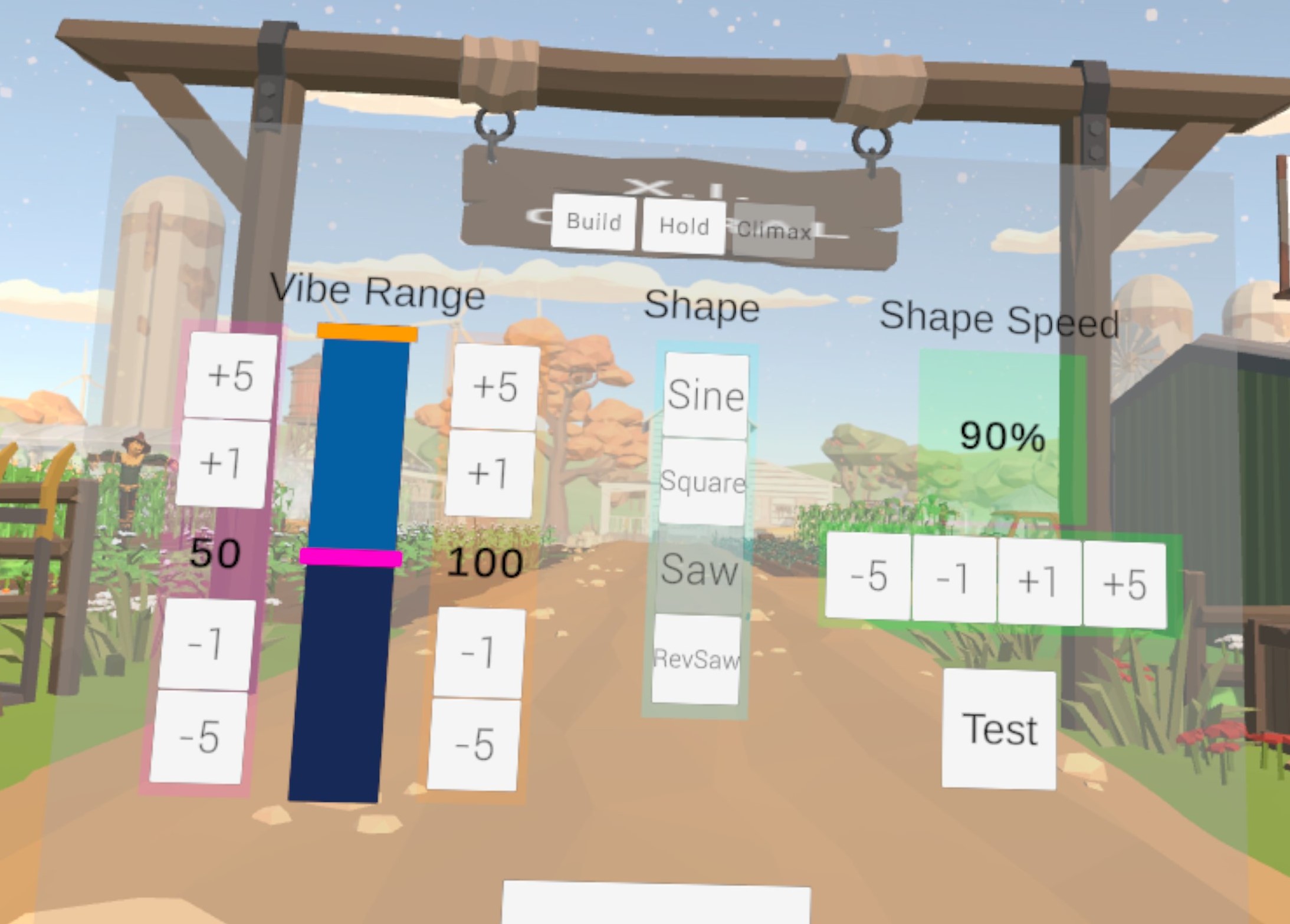
as that fits best with what I’m going for and because of my RL Algo I really don’t want to overcomplicate my variables. But I’m not quite sure how the heck to do that.

Thanks for reading this far. Any insight would be much appreciated.

-Comrade OohAah

Okay, on sleeping on it, I think I’ve sorted the proper way to do it?

public DeviceWrapper(ButtplugClientDevice device)
{
    Device = device ?? throw new ArgumentNullException(nameof(device));
    Index = device.Index;
    IsEnabled = true;
    SupportedCommands = new List<string>();

    if (device.VibrateAttributes.Any())
    {
        SupportedCommands.Add("Vibrate");
        Debug.Log($"[DeviceWrapper] Vibrate supported: {Device.Name}");
    }

    if (device.OscillateAttributes.Any())
    {
        SupportedCommands.Add("Oscillate");
        Debug.Log($"[DeviceWrapper] Oscillate supported: {Device.Name}");
    }

    if (device.LinearAttributes.Any())
    {
        SupportedCommands.Add("Linear");
        Debug.Log($"[DeviceWrapper] Linear supported: {Device.Name}");
    }

    if (device.RotateAttributes.Any())
    {
        SupportedCommands.Add("Rotate");
        Debug.Log($"[DeviceWrapper] Rotate supported: {Device.Name}");
    }
}

And then I was focusing on supporting devices, but what I need to be doing is probably thinking of devices as containers for actuators and then focus on what actuators I can support. Does that sound right?

I figure at that point, if a device has more than one actuator, I can create a menu in between device selection and “Stroke” configuration and let the user choose a single actuator.

I feel like I’m on the right track, but again, any insight is appreciated.

It sounds like you got there: the solace pro is the only device that has a config that maps both the linear positional control and the built-in oscillation: choose 1, or you’ll clobber your commands.

In the latest release of the protocol, these 2 output types are grouped under a common feature, so it’s much easier to work out if you’re going to send a conflicting command.

Well, I thought I did. :sweat_smile:

So it turns out, the user is using a Lovense Solace Pro over the Lovense Connect Service. Does Intiface Central Support that? Because I’m looking in the config json and not seeing an entry for the Solace Pro under the Connect. They say it works for them on other software they’re using from steam, I’ve asked what software and haven’t heard back from them on that. Any ideas on how that’s working?

I can confirm that when I try to connect with an emulated Solace Pro-Connect via a Websocket Device (btw, great way to simulate a device you don’t own) that my app sees what they see and my app is treating it as a vibrate device as per the config.

If it’s not supported, is there anything I can do for them at that point? Unofficially, if they were to copy the Solace Pro-Lovense entry in the config json and copy it to the Lovense Connect Service section would they be able to use it?

Thanks!

I think we stopped trying to update the Lovense Connect protocol before the SolacePro came out. It’s already pretty broken (and we don’t think it’s all on our side): Lovense stopped supporting it, and since you can run Intiface on your phone now, there’s very little reason to use it. We will be removing support entirely soon.

1 Like

Oh, I didn’t even think of the mobile app. I’ll tell them to give that a shot. Thanks!